 TermTable
Your timetable, always in your pocket.
TermTable is a timetable planner for UK school, sixth form and college students. It knows whether it's Week A or Week B, shows what's on now and next, and keeps track of your homework.
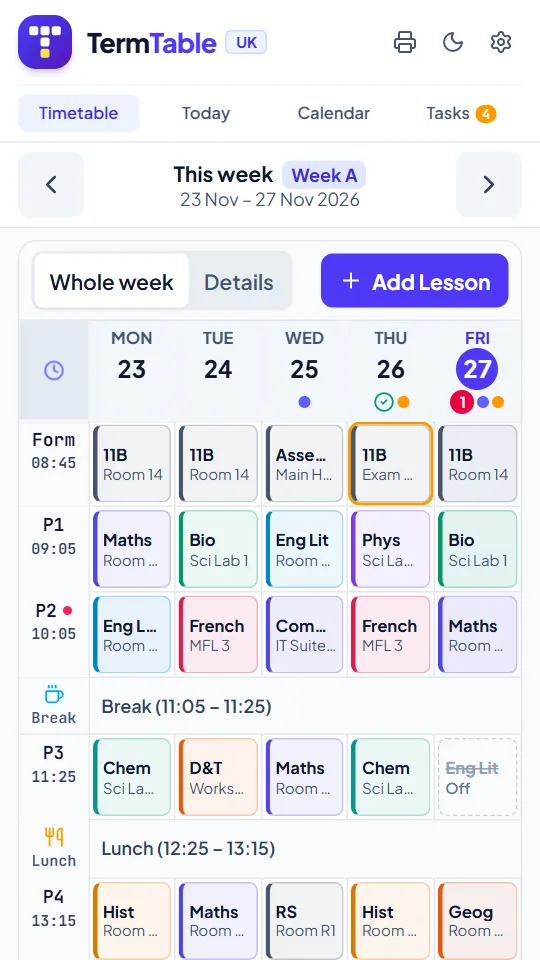
Everything for your school week, nothing in the way
Built for students who want to know where they need to be, what to bring and what's due, at a glance.
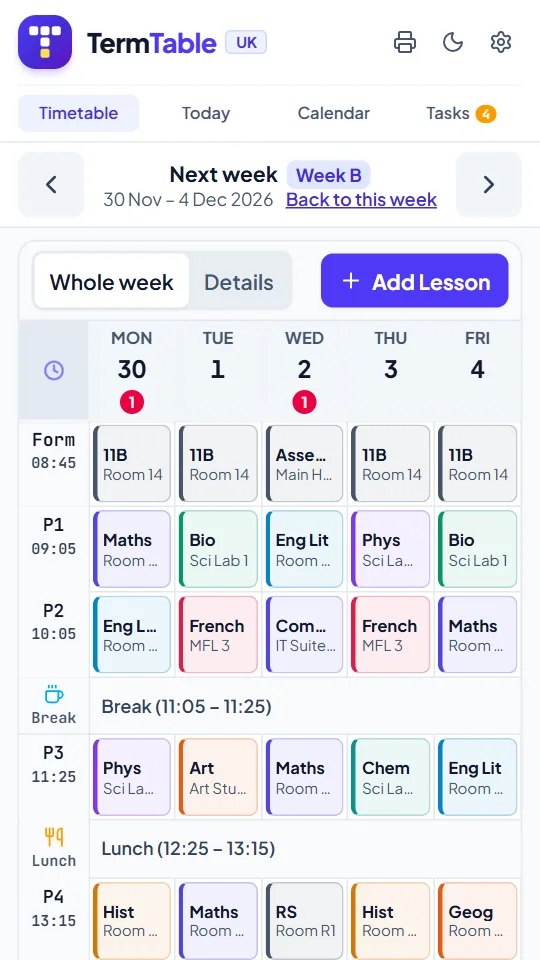
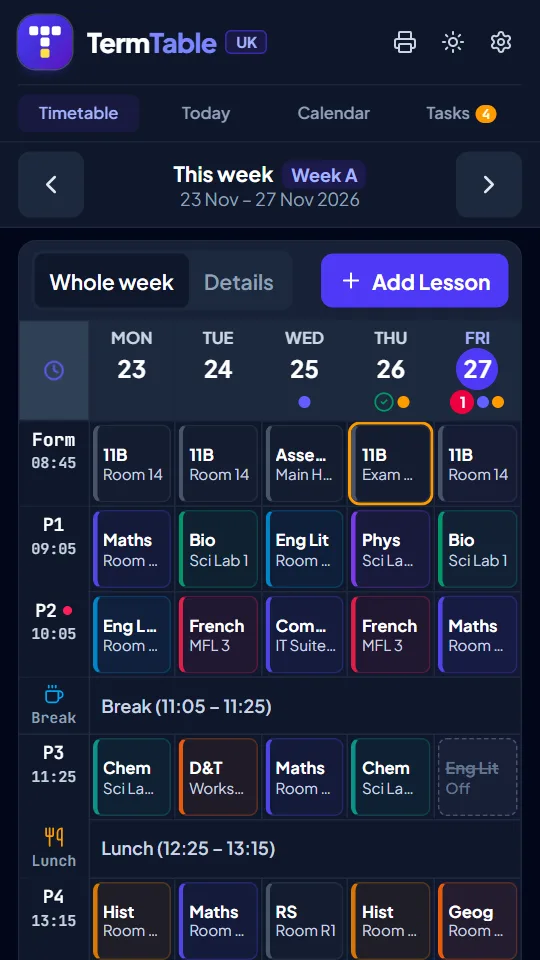
Week A and Week B
Got a two-week timetable? TermTable swaps between Week A and Week B on its own every Monday, so you always see the right week.
The whole week on screen
See Monday to Friday on your phone without scrolling sideways, with each lesson's short name and room. Switch to Details for the full view.
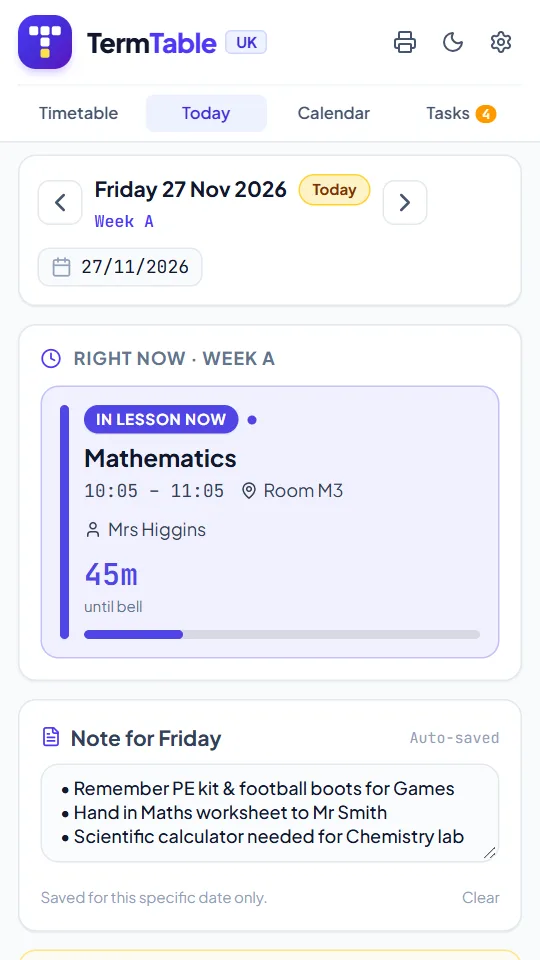
Now and next
The Today screen shows the lesson you're in, how long until the bell and what's next, with your note for the day.
School or college
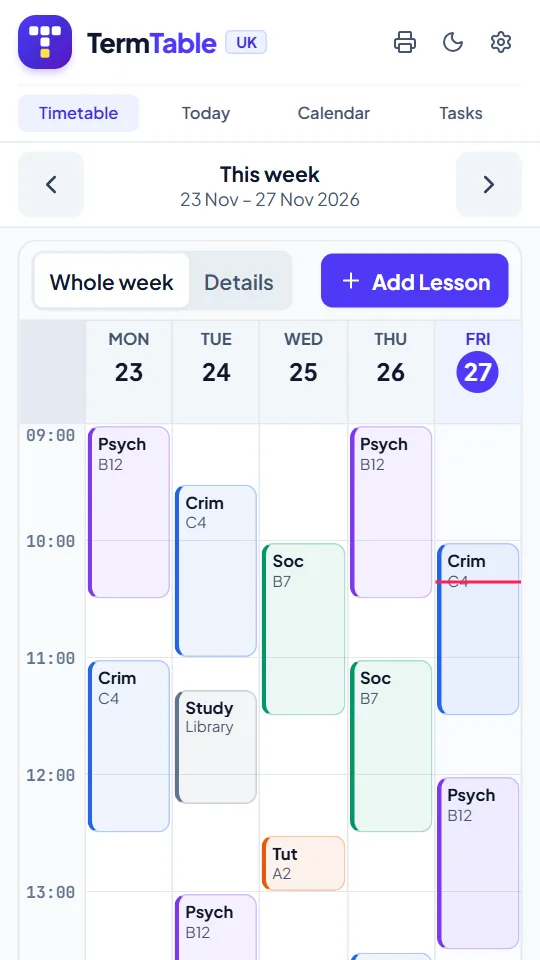
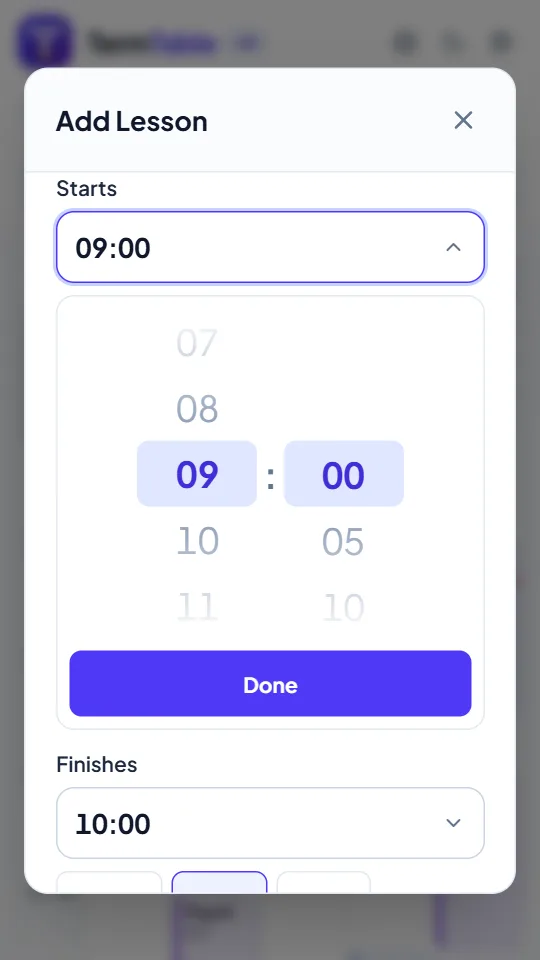
Use your school's periods, or give every lesson its own times if you're at college. Pick times with scroll wheels, with no AM or PM to get wrong.
A real calendar
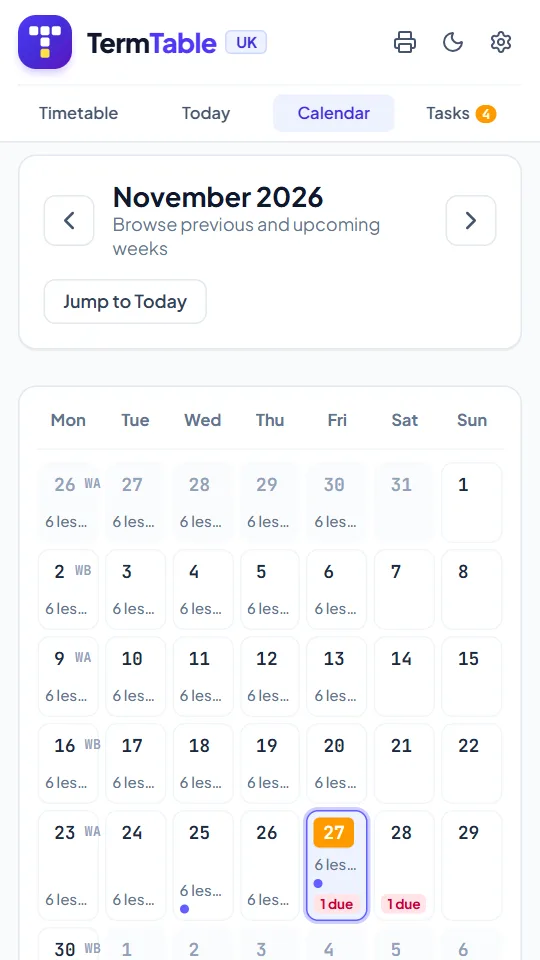
Step through the weeks with arrows. Every day shows its date and little markers for tasks due, notes and lesson changes.
One-day changes
Room change, cover teacher or a cancelled lesson? Change it for that day only. It shows on the timetable without touching your normal week.
Homework and tasks
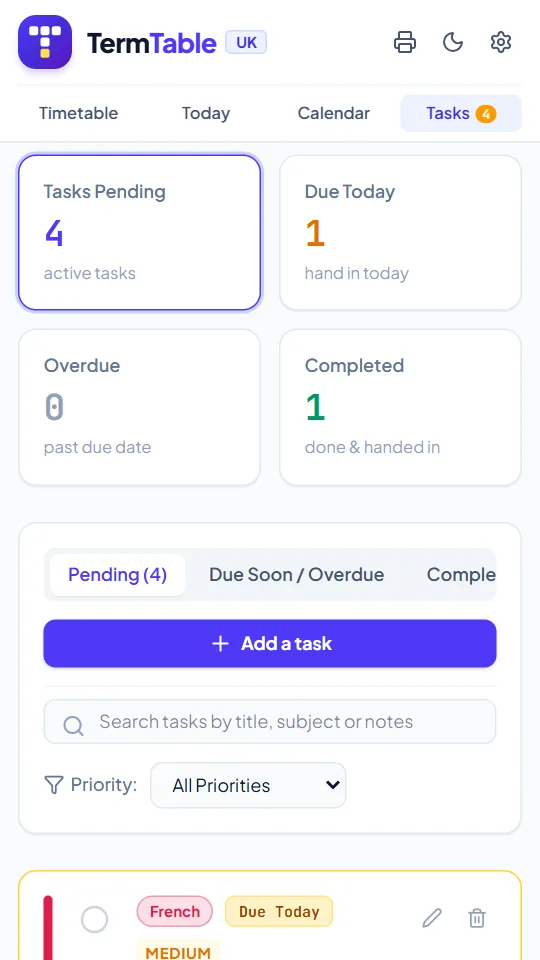
Tap a lesson to add homework, already due the next time that lesson is on. See what's due, overdue and done.
Reminders
Get a reminder the evening before homework is due, and one in the morning on days with a note or a lesson change.
Home screen widgets
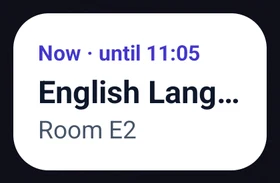
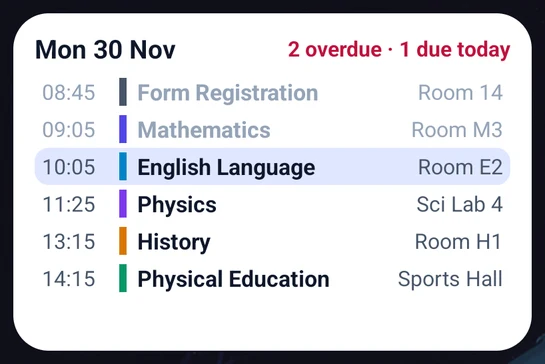
See your lesson now and next, or the whole day, without opening the app. Resize them to fit your home screen.
Easy setup
A step-by-step guide asks one question at a time and helps you fill in each day. It takes about five minutes.
Print it
Print your timetable on A4 or save it as a PDF, in colour or black and white, with your name or form group on top.
Light or dark
Switch between light and dark whenever you like. Back up your timetable to a file and move it to a new phone.
Take a look
Screens from the app, with an example timetable. Want the detail? Read the full guide.
On your home screen
Two widgets show your timetable without opening the app. Tap one to go straight to Today.
Private by design
TermTable has no servers and doesn't even ask for internet access. Your timetable, homework and notes stay on your phone, and we never see them.
- No account or sign-in
- No adverts and no tracking
- Your data isn't collected, sold or shared
- No internet access at all
- Backups go only where you choose
- Remove everything any time by uninstalling
Questions
A few quick answers. There are more in the full FAQ, and every screen is explained in the guide.
Which phones does it work on?
Android phones running Android 7.0 or newer. There isn't an iPhone version.
Does it cost anything?
No. TermTable is free, with no adverts and nothing to buy.
Do I need an account?
No. Open the app and the setup guide helps you put your timetable in.
My school has Week A and Week B. Does it work?
Yes. Tell the setup guide you have two different weeks and which one this week is. TermTable swaps between them every Monday. If it ever gets out of step, tap Swap the weeks in Settings.
I'm at college and my lessons are at different times. Can I use it?
Yes. Choose Sixth form or college in the setup guide, and every lesson can have its own start and end time instead of school periods.
Can I move my timetable to a new phone?
Yes. In Settings tap Save a backup and send the file somewhere safe, like Google Drive or an email to yourself. On the new phone, choose Restore a backup.
More answers: all frequently asked questions and the full guide. Anything else? Send us a message.