 rebar
Questions and answers
Quick answers about logging, the rest timer, routines, progress, plates, backups and your privacy. For a full walk-through of every screen, read the user guide.
About Rebar
What is Rebar?
Rebar is a simple, private workout logger for Android. You log each set (weight, reps and rest), run a rest timer, plan your training week, and see your progress by lift and by muscle. It is free, has no adverts, needs no account and works without an internet connection.
New here? The user guide walks through every screen.
Which phones does it work on?
Android phones running Android 7.0 or newer. There is no iPhone or web version.
Does it cost anything? Are there adverts or in-app purchases?
No. Rebar is free, with no adverts, no subscription and no in-app purchases.
Do I need an account?
No. Open the app and start logging. There is nothing to sign up for or sign in to.
Does Rebar need the internet?
No. Everything works offline, and Rebar does not even ask Android for internet permission. The only times it points you online are when you tap Rate Rebar or Send feedback in Settings: those open the Play Store or your browser, which are separate apps.
Is Rebar medical or coaching advice?
No. Rebar is a logbook. The weekly set targets and suggestions are rough guides, not prescriptions. Speak to a qualified professional before changing your training if you have a health condition or an injury.
I found a bug, or I have an idea. Where do I tell you?
In the app, open Settings then Help & feedback and tap Send feedback, or use the contact form. A screenshot and your phone model help a lot.
Your data and privacy
Where is my data stored?
Only on your phone, in Rebar's own storage. There are no servers, so nobody else, including us, can see your workouts.
Does Rebar collect, share or sell any data?
No. It has no analytics, no tracking and no adverts. Read the full privacy policy.
What permissions does Rebar use, and why?
- Notifications: to show your workout timer and rest countdown, and to alert you when a rest ends.
- Foreground service: to keep that timer notification running while you use other apps or the screen is off.
- Vibration: a short buzz when a rest ends or you finish a set.
It does not use your location, contacts, camera, microphone or storage permission.
What happens to my data if I uninstall Rebar or lose my phone?
Your history is deleted with the app, and there is no cloud copy to recover it from. The only safety net is a backup you made yourself, so back up now and then (see Backups below).
How do I delete my data?
To delete one workout, find it in History on the Log tab and use the bin icon (it asks you to tap again to confirm). To remove everything, clear Rebar's storage in Android's settings or uninstall the app. Backup files you saved elsewhere are not deleted automatically.
Logging workouts
How do I start a workout?
- On the Log tab, tap Add Exercise, or load a routine: Choose a routine, or the one-tap button on today's scheduled routine.
- Fill in the weight, reps and rest for each set.
- Tap Start Workout.
See Planning a workout in the guide for the details.
How do I log a set?
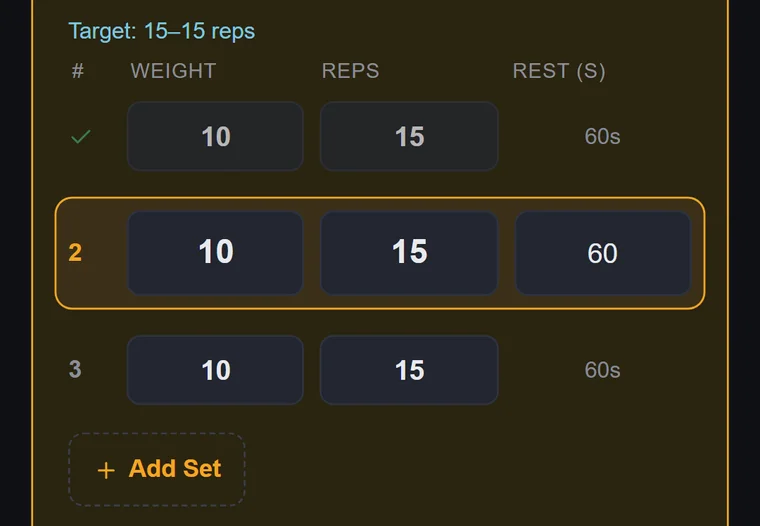
During a workout the current set is highlighted. Check the weight and reps, change them if needed, then tap Done. The rest timer starts straight away.
The Done button is greyed out. Why?
A set needs reps before it can be logged. Type the number of reps and Done becomes available. A set with no weight is fine, which is handy for bodyweight exercises.
I tapped Done by mistake. Can I undo it?
Yes. Tap the ⋮ menu at the top right during a workout and choose Undo Last Set.
Rebar ignored my second tap on Done. Is it broken?
No. Begin Set and Skip sit in the same place as Done, so a very quick double tap used to log a set by accident. Rebar now ignores a Done tap that comes within a moment of the previous one, or of the rest ending. A normal, deliberate tap always works.
How do I change the rest time?
Each set has a Rest (s) box: the seconds to rest after that set. Change it before the workout or while you are on that set. For the gap between exercises, open Superset, one-side-at-a-time, warm-ups & note on an exercise and set rest before next exercise.
What is the difference between the Auto and Manual rest timer?
In Settings then Rest Timer:
- Auto: the timer ends itself at zero and the next set is ready. Simplest and hands-off.
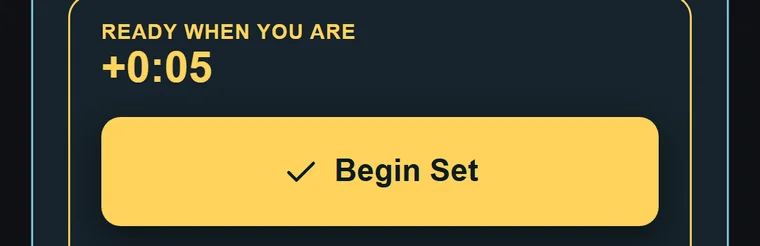
- Manual: the timer beeps at zero, then keeps counting up (overtime) until you tap Begin Set. Any real delay after the beep is counted as rest rather than folded into your next set's time.
How do I do a superset?
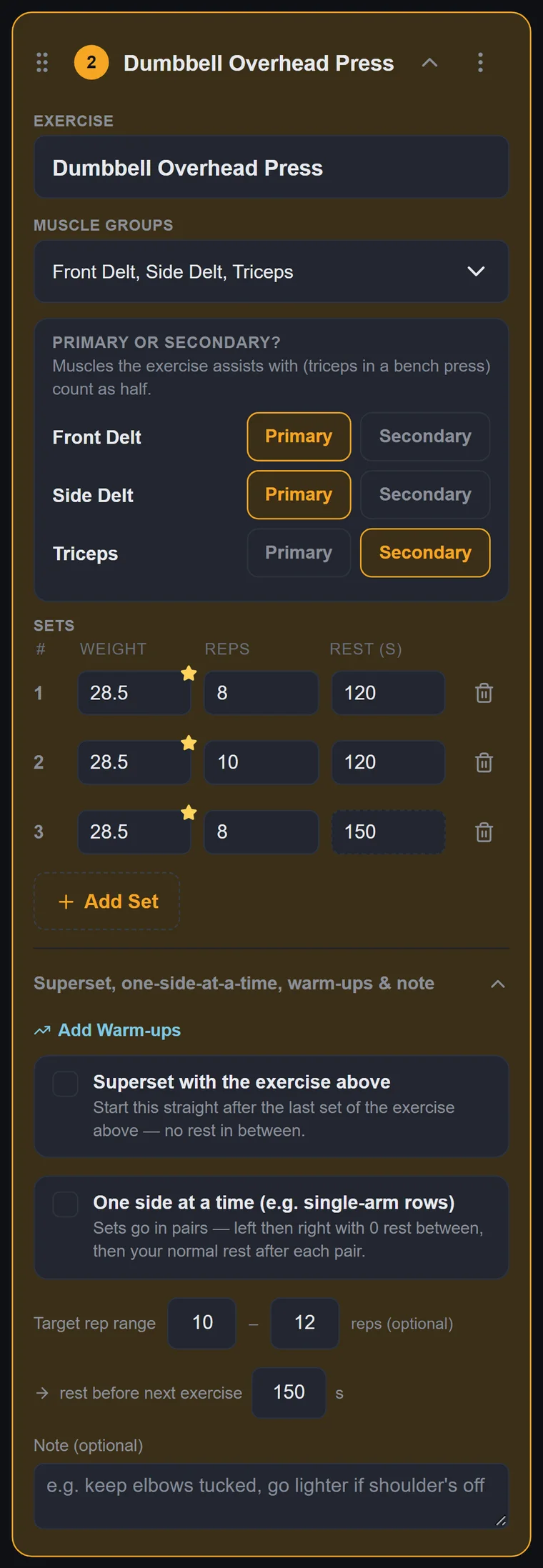
Open Superset, one-side-at-a-time, warm-ups & note on the second exercise and switch on Superset with the exercise above. Rebar starts it straight after the last set of the exercise above, with no rest in between.
How do I log single-arm or single-leg exercises?
Switch on One side at a time in the same panel. Sets then go in pairs: left, then right with no rest between, then your normal rest after each pair.
How do warm-up sets work?
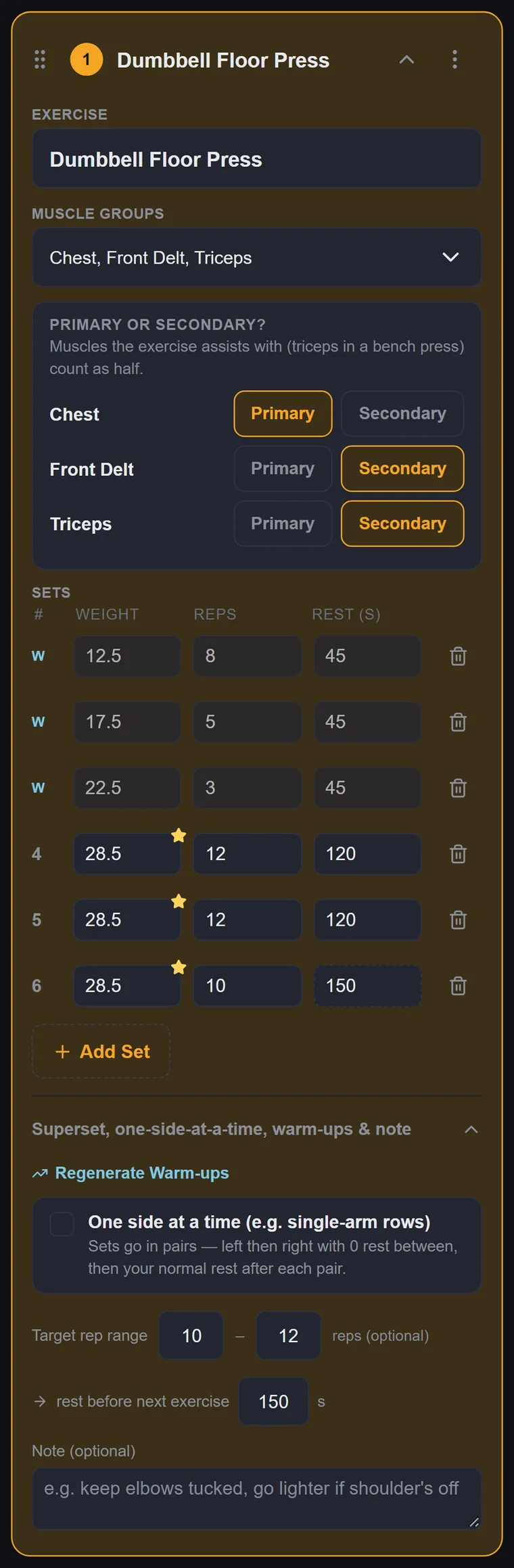
Enter your working weight, open the extra options and tap Add Warm-ups. Rebar adds a few lighter sets, marked W, building up to that weight. Warm-ups are kept out of your working-set totals, volume and personal bests. Regenerate Warm-ups rebuilds them if you change the weight.
What does “How hard was that set?” mean?
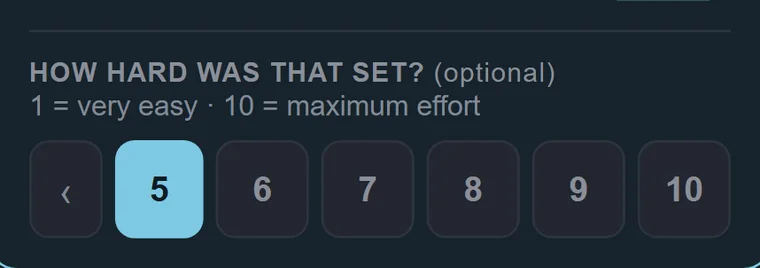
It is an optional 1 to 10 effort rating: 1 is very easy and 10 is maximum effort. You see it while resting and after your last set. It starts at 5 to 10; tap the ‹ button to show 1 to 4. Tap your choice again to clear it. Ratings are saved with the set and included in your CSV export.
How do I add an exercise in the middle of a workout?
Tap the ⋮ menu and choose Add Exercise.
Can I do my exercises in a different order?
Yes. In the Workout progress bar there is one segment per exercise. Tap another exercise's segment, then tap again to confirm, and Rebar jumps to it. Full Exercise List below the card shows every exercise and how many sets are left.
How do I finish a workout early?
Tap the ⋮ menu, then End Workout. It asks you to tap again to confirm. The workout report counts only the sets you actually did. A workout also ends by itself when you log the last set.
Can I repeat my last workout?
Yes. On the Log tab, Repeat Last Workout loads your most recent workout (it shows the date) with the same exercises, weights, reps and rests, ready to start.
Can I plan or log a workout for another day?
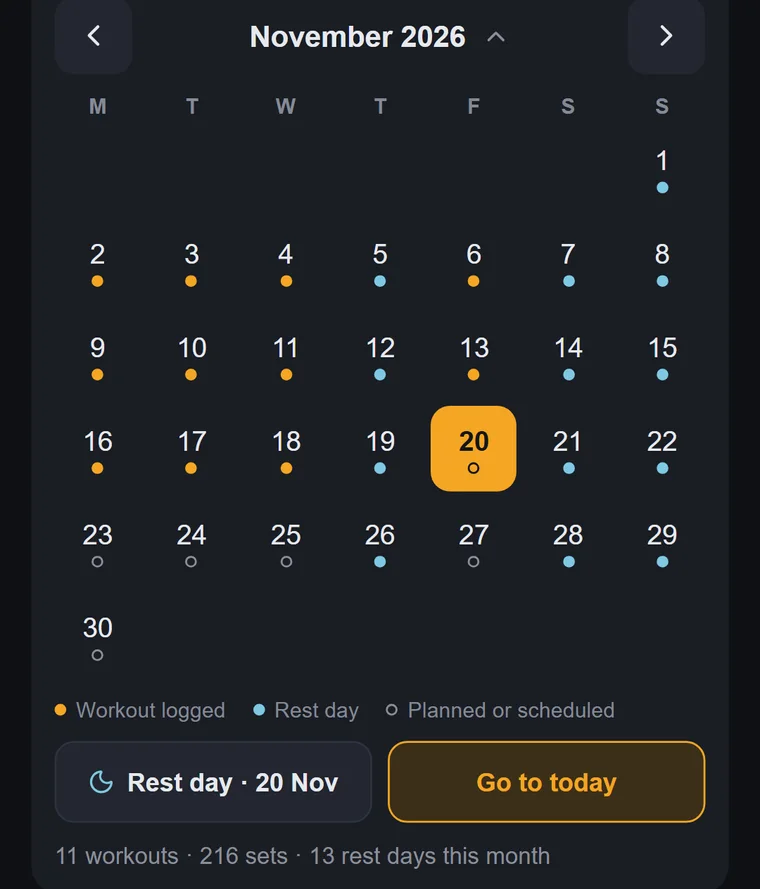
Use the arrows or the date at the top of the Log tab to move to another day, or tap the date to open the calendar. You can plan a workout for a future date, but you cannot start one on a future date.
What does the star next to a weight mean?
A gold star beside a weight marks a set that matches or beats your best weight for that exercise.
Rebar suggested a heavier weight. How does it decide?
If you set a target rep range for an exercise and hit the top of it on every working set, Rebar suggests the next weight up, using the smallest step your own plates allow. Next time you do that exercise, a gold banner appears on the card: “Hit 12 reps every set last time: try 30 kg today”, with a Use 30 kg button that fills in your remaining sets. It is only a suggestion, so ignore it if you prefer.
Notifications and the rest timer
Can I see the timer without opening the app?
Yes. While a workout is running, Rebar shows an ongoing notification with your current exercise and the rest countdown, on the notification shade and the lock screen. You can tap Skip or Done from the notification itself.
The timer notification is not showing. What should I check?
- Open Android's Settings, then Apps, then Rebar, then Notifications, and make sure they are on.
- Check that your phone is not restricting Rebar's battery use in the background. Some phones stop timers aggressively.
- Make sure a workout is actually running: the notification only appears after you tap Start Workout.
Will the screen stay on during a workout?
Rebar asks Android to keep the screen awake while a workout is running, so you can glance at your phone between sets. It goes back to normal when the workout ends.
Routines and your weekly plan
How do I save a routine?
Plan a workout on the Log tab, then tap Save as Routine under the exercises. You can also build one from scratch: open the Routines tab and tap New Routine.
How do I set up a weekly plan?
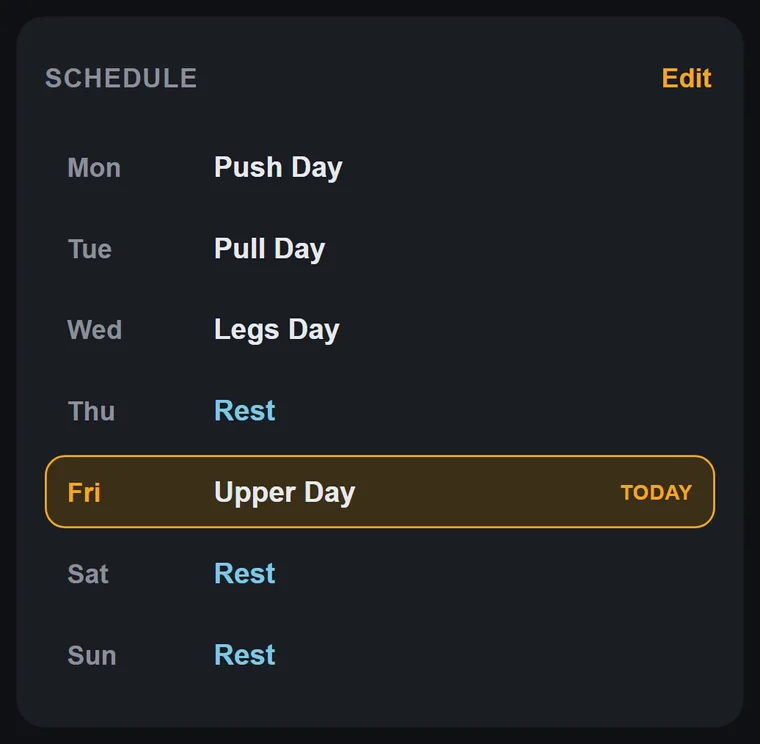
On the Routines tab, tap Edit on the Schedule card, give each day of the cycle a routine, a rest day or nothing, then tap Save schedule. Today's slot then appears on the Log tab as Scheduled today, with a one-tap button to load it.
What does “Up next” mean on a routine?
It marks the routine you are due to do next, based on your schedule and what you have done most recently.
How do I mark a rest day?
On the Log tab, tap Mark as rest day. You can add a note (sick, travelling, deload). Tap Undo rest day to change your mind. Rest days show in blue on the calendar and in Consistency. Scheduled rest days are filled in for you.
Progress and the numbers
What is e1RM?
An estimated one-rep max: the heaviest single you could probably lift, worked out from a set with the Epley formula (weight × (1 + reps ÷ 30)). It lets you compare sets with different weights and reps. It is an estimate, not a test.
How is volume calculated?
Weight × reps, added up across your working sets (warm-ups are left out), shown in kilograms or pounds to match your units setting.
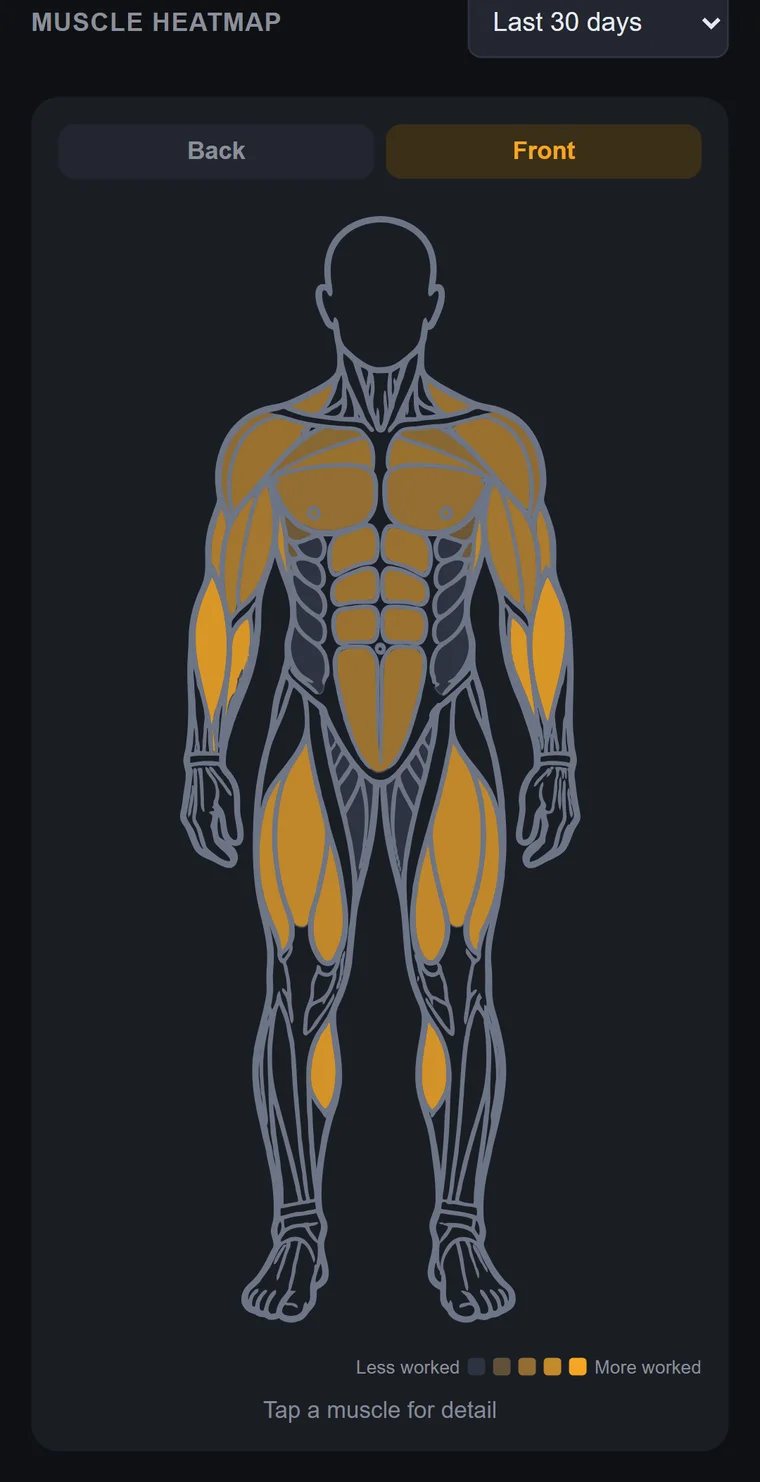
What does the muscle heatmap show?
How much each muscle has been worked over the period you pick (today, last 7, 30 or 90 days, or all time), from the muscle groups you assign to your exercises. Muscles an exercise only assists with count for half. Use Back and Front to turn the figure.
What is the 10 to 20 sets target on Weekly Sets per Muscle?
A common rule of thumb for building muscle is roughly 10 to 20 hard sets per muscle per week. Rebar shades that range so you can see what is under or over. It counts working sets since Monday, and it is a rough guide, not a rule.
What are Stalled Lifts?
Exercises you are still training whose best estimated one-rep max has not improved in four or more weeks. A deload, a change of rep range or a small weight increase are the usual fixes.
What is the week streak?
The number of weeks in a row, counting back from this week, in which you finished at least one workout. A week starts on Monday.
Why do my Progress numbers show zero this week?
This week starts on Monday and counts from then. If you have not finished a workout yet this week, workouts, volume and weekly sets start at zero. They fill in as you train.
Can I hide reports I do not use, or reorder them?
Yes. In Settings open Progress Reports. Turn reports on or off and drag the grip handle to reorder them. Hidden reports keep working in the background.
Can I set a goal for a lift?
Yes. In Settings open Goals and add a target weight (and optionally reps) for any exercise you have logged. Progress shows on that exercise's chart, and hitting the goal is called out in your workout report.
Plate calculator and equipment
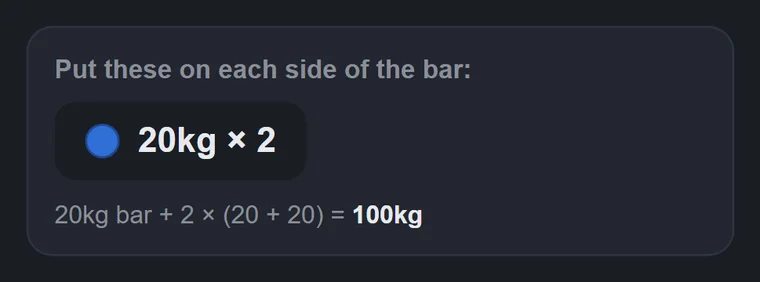
How does the plate calculator work?
Tap the calculator button at the top of the app, choose a bar, and enter the weight you want. Rebar shows which plates to put on each side, and checks the sum. During a workout, More options on the card does the same for the current set's weight.
How do I tell Rebar which bars and plates I have?
In Settings open Equipment. Add your bars (name, weight, and barbell or dumbbell) and the plate sizes you own with how many in total across both sides. Leave it empty and Rebar assumes a standard bar and unlimited plates.
What do “Last resort” and “Not available now” mean for plates?
Last resort plates, such as 0.25 kg ones, are only used when a weight cannot be made exactly without them. Not available now skips a plate size completely, which is handy when the big ones are on the dumbbells. You can also toggle that from the calculator.
Settings and units
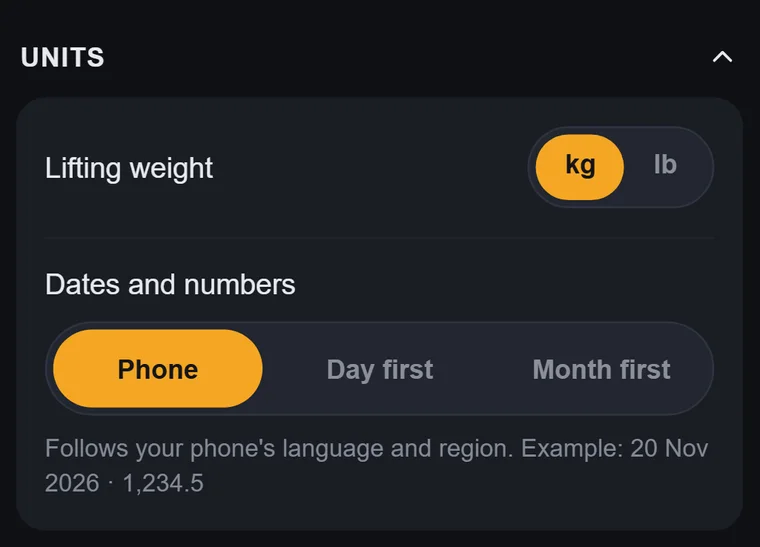
How do I switch between kg and lb?
In Settings open Units. Switching converts the weights you have already saved, so your history stays correct in the new unit.
Can I change how dates and numbers are written?
Yes. In Settings open Units and choose Dates and numbers:
- Phone: follows your phone's language and region (the default).
- Day first: 20 Nov 2026.
- Month first: Nov 20, 2026.
It changes the calendar, History, Progress and the reports straight away. The date picker used when you set a schedule's start date is an Android control and keeps following your phone's language.
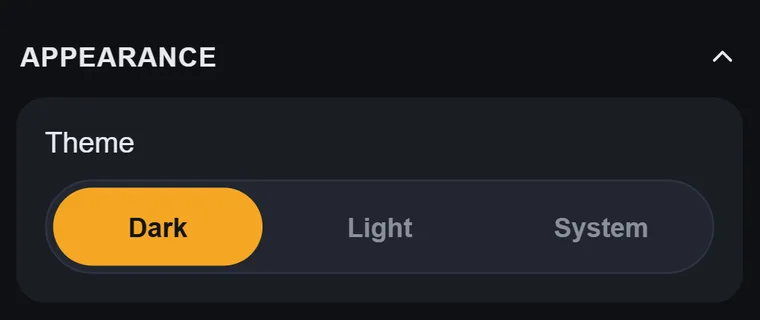
How do I change to light or dark mode?
In Settings open Appearance and choose Dark, Light or System (which follows your phone).
How do I see the intro again?
In Settings open Help & feedback and tap Show the intro again.
Backups, exporting and a new phone
How do I back up my data?
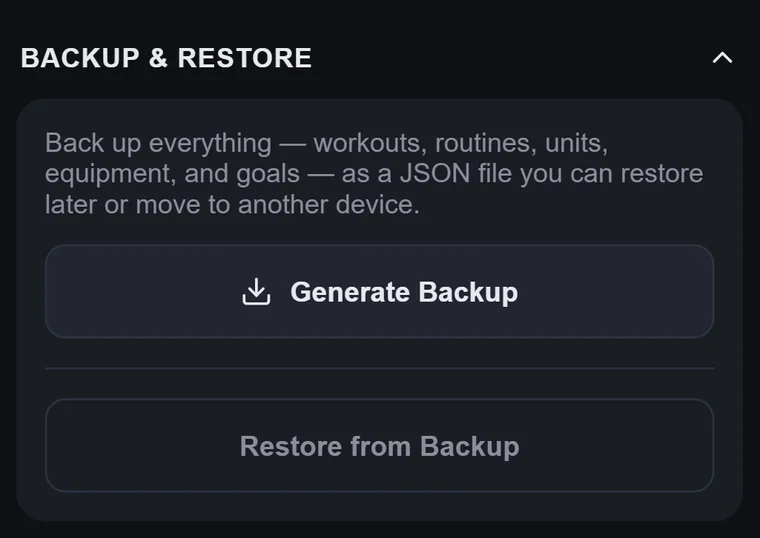
In Settings open Backup & Restore and tap Generate Backup. Then tap Save File and choose where to keep it (Google Drive, email it to yourself, anywhere you like), or Copy to Clipboard. The file holds everything: workouts, routines, units, equipment and goals.
Can Rebar back up automatically?
Yes. In Scheduled Backups pick a folder once and choose daily or weekly. Point it at a folder that Google Drive or another sync app keeps backed up and you get cloud backup with no account in Rebar. Backups run the next time you open the app after the interval has passed, not in the background while the app is closed. This is only available in the installed Android app.
How do I move my workouts to a new phone?
- On the old phone: Settings, Backup & Restore, Generate Backup, Save File.
- Get the file onto the new phone (Drive, email, a cable, whatever suits you).
- Install Rebar on the new phone.
- Open Settings, Backup & Restore, Restore from Backup, and pick the file.
Restoring replaces what is currently in the app, so do it on a fresh install.
Can I get my workouts into a spreadsheet?
Yes. In Settings open Export and tap Generate CSV. You get every logged set (date, routine, exercise, muscle groups, set number, warm-up flag, weight, unit, reps, effort rating, rest taken, time taken and when it was completed) as text you can save or copy into any spreadsheet app.
Can I import workouts from another app?
Not at the moment. Rebar can restore its own backups (including ones from its earlier name, Lift Log), but it does not read other apps' files.
Can I use Rebar on two devices at once?
There is no sync, because your data never leaves your phone. To move between devices, use backup and restore.
Still stuck?
Open Settings, then Help & feedback, then Send feedback in the app, or use the contact form. We read every message.